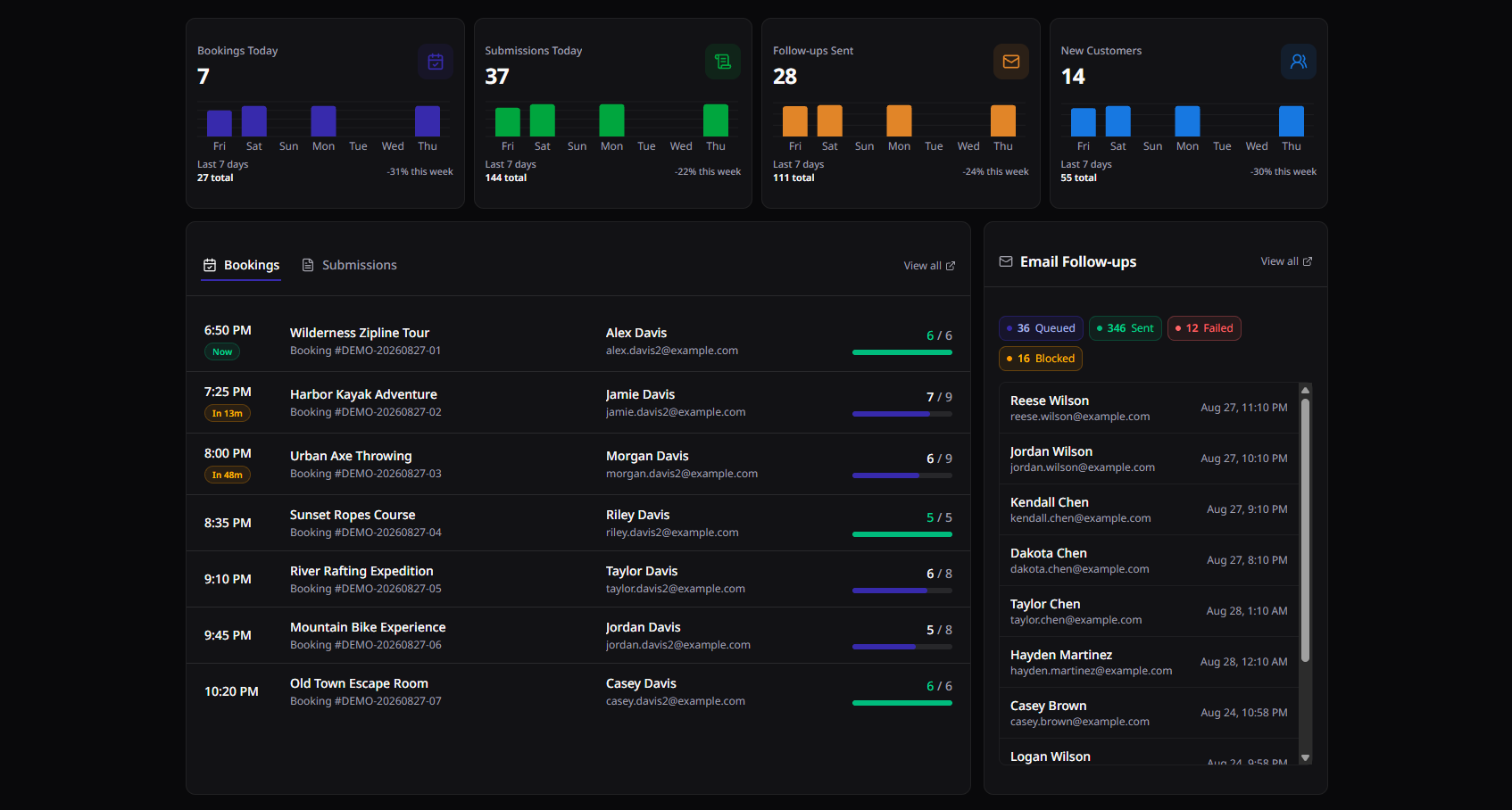
More signatures before arrival. More relationships after.

Share waivers by link or QR code, track every booking live, and automatically follow up with participants for feedback and reviews.

No credit card required.

Apex Adventures / Live workspace
Waiver Director workspace for the fictional Apex Adventures demo, showing today's bookings, signed waiver completion, submissions, and follow-up status

Create your waiver

Build your waiver once.

Create structured waivers with custom fields, required questions, signature blocks, and your branding. Publish a version and it's locked — past submissions are never altered when you make edits.

Inside the builder

Participation Waiver Draft

I understand that kayaking involves inherent risks, including capsizing and cold water. I accept these risks on my own behalf and release Apex Adventures from liability arising from ordinary negligence.

Full name textDate of birth dateSigning for a minor checkbox
Signature
Publishing creates v3 · v2 stays on 41 signed records

Display QR codes

Share your waiver anywhere.

Use it as a link, embed it on your website, open it on a front-desk kiosk, or display a QR code. Open the same waiver from a booking and that booking’s details appear on the form the guest signs.

Where QR codes live

Share this waiver Published

View your bookings

See every booking in one place.

Bring bookings in from integrations such as Bookeo. See the activity, time, customer details, expected guest count, and how many waivers are signed, then open the waiver for that booking.

Booking coverage

Sunset Kayak Tour
Today · 5:30 PM · Marina dock
6/ 8
Signed
  • AM Alex Martinez Signed
  • JC Jamie Chen+1 minor Signed
  • CP Casey Patel Not signed
  • JL Jordan Lee Not signed
BK-4471-QT Waiver QR

Follow-up emails

Automate customer follow-ups.

Create reusable emails, send them now, or schedule them around the booking time. Track queued, sent, blocked, and failed messages, and sync customers who consent to Mailchimp.

Follow-ups and Mailchimp

Follow-up queue Next 24h
  • Thanks for paddling with us Sent 6:12 PM · 14 recipients Sent
  • Photos from your tour 2 hours after booking Queued
  • Come back for the sunrise trip Friday 9:00 AM Scheduled
  • Season pass offer Held · no marketing consent Blocked

Frequently asked questions

How do I send the waiver in a confirmation email or text?

Your workspace has a public waiver link you can paste into a confirmation email, a text message, or your own site. Each booking also gets its own link, so those signatures land on the right departure.

How do I use a QR code to get people signed?

Your published waiver renders as a QR code. Print it for the counter or show it on screen, and the guest signs on their own phone — no app, no account. Open that code from a booking and the activity, time, and signed count ride along on the form.

Someone turns up without a waiver. What do I do?

Open their booking and show the waiver QR code from there. They sign on their own phone, the form carries their activity and time, and the signed count moves while they are still standing there. If they never had a booking, the same waiver covers walk-ins.

How do I find one person’s waiver months later?

Search across signers, their answers, bookings, and follow-ups. Repeat guests keep a visit history, so you can see every time somebody has signed.

Can I market to the people who fill out my waivers?

Only the ones who agreed to it. Signers who tick the consent box sync to your Mailchimp audience, and the exact sentence they were shown is stored on their record.

Can I send a thank-you or a review request afterwards?

Write the email once and schedule it from the booking time. Delivery stays visible, so you can see what sent, what is still queued, and what failed.

What can I do before I pay anything?

Build the whole waiver — wording, questions, branding — and preview the exact page a guest would see. Publishing it, and collecting real signatures, is where a paid plan starts.

Write your waiver today.

Set it up, brand it, and preview the guest page before you publish.